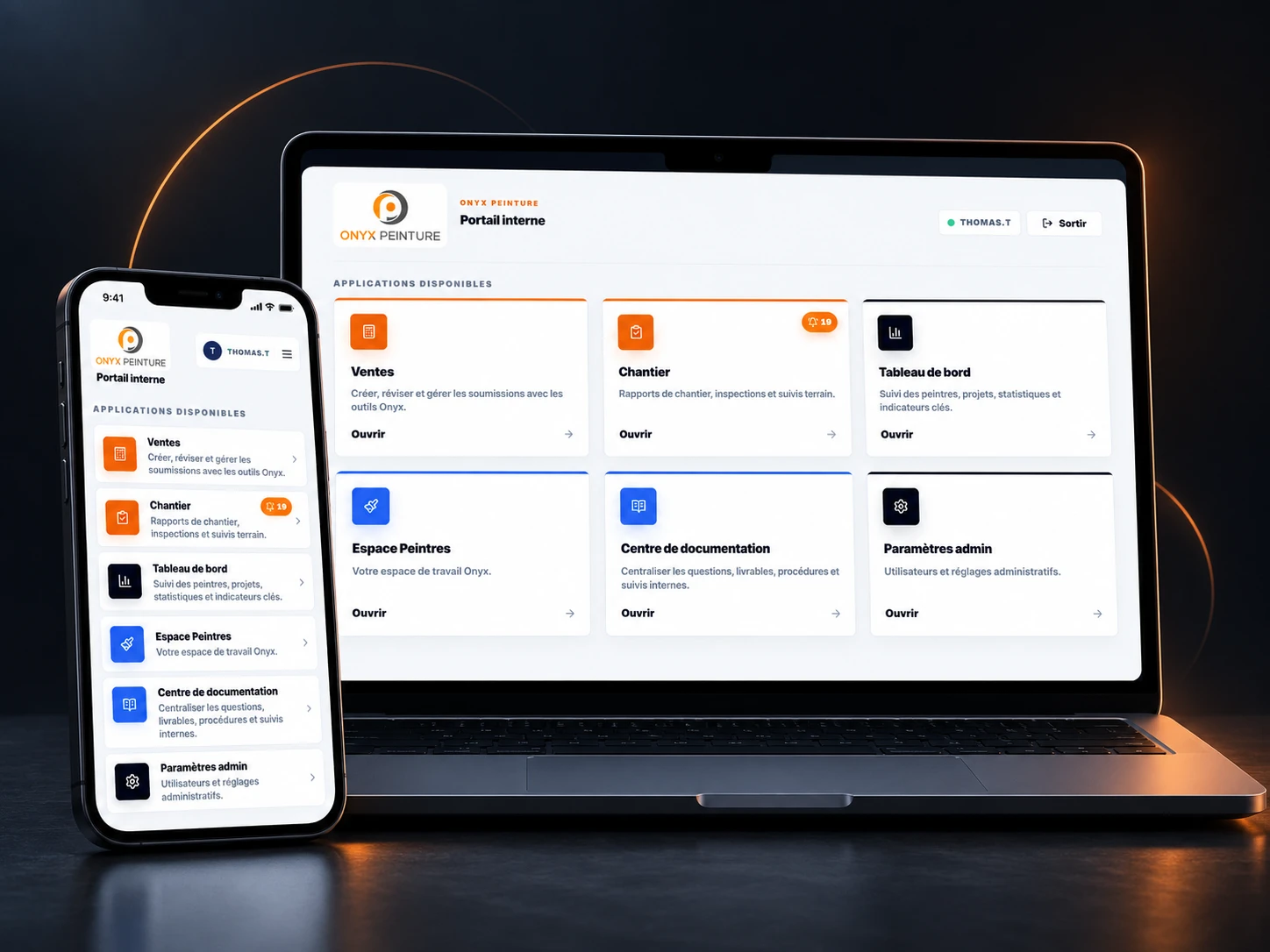
Onyx Peinture is a painting company. I led its digital transformation, from assessing needs to deploying an internal system that connects sales, production, and administration through to invoicing.
Before the 2T Conseils engagement, I worked directly in Onyx’s operations as a representative. I was involved in estimating, sales, inspections, and administration. That hands-on experience showed me where processes slowed down and information was getting lost. It was in this context that I created an initial prototype to simplify estimating and quotes.
That first tool led to an end-to-end digital transformation engagement with 2T Conseils. I then worked across the full process: receiving an inquiry, selling the work, preparing the job, tracking delivery, and invoicing the customer.
MY ROLE / 2T CONSEILS
01
Identify the requirements
I analyzed the needs of sales, production, and administration to define priorities and how information should move between teams.
02
Design and develop
I designed and developed custom tools, connecting the stages of each customer’s job in one system.
03
Test and roll out
I organized testing, adjusted features with the teams, and supported the gradual rollout.
A central system for operations
SALES · PRODUCTION · ADMINISTRATION
The portal brings together the tools used by sales representatives, painters, and administrative staff. The engagement covers how the business operates as a whole.
Sales and customer communication
The system brings together inquiries, phone calls, email and SMS conversations, estimating, and quotes. Representatives can follow each job from first contact through acceptance of the work.
Calls
Email inboxes
SMS
Sales follow-up
Production and job tracking
Teams have tools to schedule jobs, order paint, and track progress. Field reports and timesheets provide information on the work completed.
Scheduling
Purchasing
Progress
Invoicing and performance analysis
Invoicing and deposits are part of project tracking. Management dashboards then help analyze differences and productivity to improve planning for future jobs.
Deposits and invoices
Dashboards
Productivity
The painter workspace: everyday tools
On their phones, painters can access their schedule, the work to complete, and the tools to keep the office informed.
Schedule and jobs
View the day and week ahead, assigned jobs, addresses, and contract details.
Work and progress
View tasks, take responsibility for work, record progress, and request additions or corrections.
Clocking and timesheets
Clock in, record breaks, clock out, review hours worked, and request a correction from a manager.
Inventory and supplies
Track paint, supplies, and equipment, update quantities, request supplies, follow orders, and confirm deliveries.
Training and skills development
Support team learning and identify training needs.
THE ROLLOUT
A staged implementation
I introduced the features gradually, incorporating feedback from the teams.
01
Pilot testing
New features were first tested with the teams in their day-to-day work.
02
Feedback and adjustments
I fixed the issues raised and adjusted the tools based on users’ feedback.
03
Wider rollout
The features were then put into wider use. The same cycle was repeated for subsequent additions.
CONTACT / 2T CONSEILS
Let’s discuss your project.
Tell me what you need or what you’d like to improve in your business. I’ll reply to discuss how I can help.